

























How to File KRA Returns via WhatsApp in Kenya (2026 Complete Step-by-Step Guide)
Filing KRA returns has become easier than ever thanks to KRA's WhatsApp chatbot, Shuru. In this guide, learn how to file KRA returns through WhatsApp, including NIL returns, tax compliance requests, PIN services, and more. Follow our simple step-by-step instructions and avoid penalties by filing your returns quickly from your smartphone.

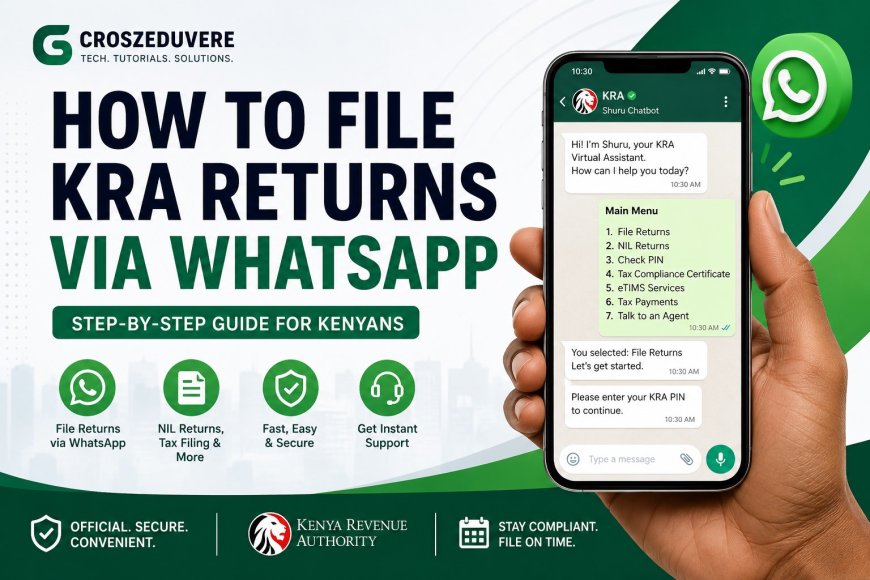
The Kenya Revenue Authority (KRA) has introduced a simpler and faster way for taxpayers to access tax services through WhatsApp. Using the Shuru WhatsApp Chatbot, taxpayers can file returns, check KRA PIN details, request Tax Compliance Certificates, access eTIMS services, and receive tax-related support directly from their mobile phones.
This innovation aims to make tax compliance easier for millions of Kenyans by reducing the need to log into the iTax portal for basic services.
Whether you are an employee, freelancer, student, business owner, or unemployed taxpayer required to file NIL returns, this guide will show you exactly how to file KRA returns using WhatsApp.
What is the KRA Shuru WhatsApp Chatbot?
Shuru is KRA's official WhatsApp assistant that allows taxpayers to access various tax services through a simple chat interface.
Some services available include:
- Filing annual tax returns
- Filing NIL returns
- Checking KRA PIN details
- Applying for Tax Compliance Certificates (TCC)
- Generating eTIMS invoices
- Making tax payments
- Getting support from KRA agents
The service is available 24/7 through WhatsApp.
Official KRA WhatsApp Number
To access KRA services through WhatsApp, save the following number:
+254 711 099 999
After saving the number:
- Open WhatsApp
- Start a new chat
- Send the word:
Hi
or
Menu
The chatbot will immediately display available services.
Requirements Before Filing
Before filing your returns, ensure you have:
- A valid KRA PIN
- National ID Number
- Internet connection
- WhatsApp installed on your phone
- Relevant tax information if filing more than a NIL return
How to File KRA Returns via WhatsApp
Step 1: Start a WhatsApp Chat
Open WhatsApp and send:
Hi
to the official KRA WhatsApp number.
The Shuru chatbot will respond automatically.
Step 2: Select "File Returns"
From the menu options, choose:
File Returns
The chatbot will begin guiding you through the process.
Step 3: Verify Your Identity
You may be required to provide:
- KRA PIN Number
- National ID Number
This helps protect your tax information.
Step 4: Review Tax Information
The chatbot may display:
- Previous filing history
- Tax obligations
- Available filing options
Carefully review the information provided.
Step 5: Confirm Submission
Follow the instructions provided and confirm your return.
The system will process your submission automatically.
Step 6: Save the Confirmation Message
Once your return is successfully filed, KRA will send a confirmation message.
Take a screenshot or save the confirmation for future reference.
How to File a NIL Return via WhatsApp
A NIL return should be filed if you had no taxable income during the year.
Follow these steps:
- Send Hi to KRA WhatsApp.
- Select File Returns.
- Choose NIL Return.
- Enter requested details.
- Confirm submission.
- Receive confirmation.
The process typically takes only a few minutes.
Benefits of Filing Through WhatsApp
1. Easy to Use
Most people are already familiar with WhatsApp.
2. Faster Process
No need to navigate multiple pages on the iTax portal.
3. Mobile Friendly
Everything can be done from your smartphone.
4. Convenient Access
Services are available anytime and anywhere.
5. Reduced Errors
Guided prompts help taxpayers avoid mistakes during filing.
Common Questions
Is WhatsApp Filing Free?
Yes. KRA does not charge for using the WhatsApp service. Standard internet charges may apply.
Can Freelancers File Through WhatsApp?
Yes. Freelancers can use the service depending on their filing requirements.
Can I File NIL Returns Through WhatsApp?
Yes. NIL return filing is one of the supported services.
Is WhatsApp Filing Safe?
Yes. KRA uses identity verification before allowing access to taxpayer information.
Tips to Avoid KRA Penalties
- File before the deadline.
- Keep your KRA PIN active.
- Save all confirmation messages.
- Ensure information provided is accurate.
- File NIL returns even if you earned no income.
Conclusion
KRA's WhatsApp filing service is transforming how Kenyans interact with tax services. Instead of struggling with passwords, browsers, or complicated forms, taxpayers can now complete many tax-related tasks directly through WhatsApp.
If you have not filed your returns yet, save +254 711 099 999, send "Hi", and follow the simple instructions provided by the Shuru chatbot.
Staying compliant with KRA has never been easier.
What's Your Reaction?