






Your M-PESA Can Go Global - Most People Just Don't Know It Yet
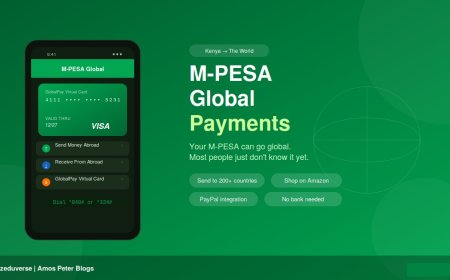
Most Kenyans think M-PESA only works locally. Wrong. M-PESA Global lets you send money to 200+ countries, shop on Amazon and Netflix, link to PayPal, and receive money from abroad — all from the same wallet already on your phone. Here's everything you need to know.

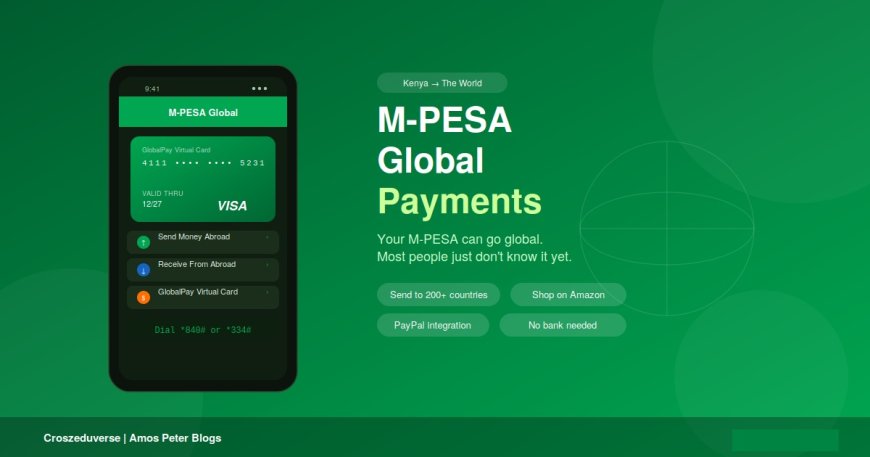
You probably use M-PESA every day buying airtime, paying bills, sending money to family. But there is a whole other side of M-PESA most people walk right past: M-PESA Global. It has been there for years. It lets you shop on Amazon, pay for Netflix, send money to relatives abroad, and link your wallet to PayPal. No bank account. No physical card. Just the phone you already have.
This guide breaks it all down simply, because you deserve to know what your money can actually do.
What Is M-PESA Global?
M-PESA Global is a suite of international payment tools built directly into your existing M-PESA account. It enables registered customers to send and receive money globally, and pay international merchants online — all through strategic partnerships with Western Union, Visa, and PayPal, giving access to over 200 countries and territories.
There are two main tools inside M-PESA Global:
| Tool | What It Does |
|---|---|
| M-PESA Global Transfer | Send or receive money internationally |
| M-PESA GlobalPay Virtual Visa Card | Shop online on international sites |
Think of them like two doors in the same house. One lets money move across borders. The other lets you shop anywhere in the world.
Tool 1: M-PESA Global Transfer (Sending Money Abroad)
What It Is
M-PESA users can send international transfers to bank accounts, mobile numbers, or Western Union locations worldwide through the M-PESA Global service. Whether your family member is in the UK, US, Tanzania, or Uganda there's a way to reach them from your M-PESA.
How to Activate
Before you send your first international transfer, you need to opt in once:
- Dial *840# on your Safaricom line
- Accept the Terms and Conditions
- You're in. That's it.
How to Send Money Abroad
Via the M-PESA Super App:
- Open the M-PESA app → tap Global section
- Select Send Money Abroad
- Choose your destination country and method (bank account, mobile number, or Western Union cash pickup)
- Enter amount → review the exchange rate shown → enter your PIN → done
Via USSD (basic phone):
- Dial *840#
- Select Send Money Abroad
- Follow the prompts → enter details → confirm with PIN
Tip: The exchange rate is shown to you before you confirm. You always know exactly what you're sending and what the recipient gets.
Limits & Fees
International money transfers through M-PESA Global are capped at KES 70,000 per transaction, with a minimum of KES 101. There is a tiered fee structure based on the amount sent and receiving money into your M-PESA wallet from abroad is free.
Note: Receiving money is free on M-PESA's side. Standard local withdrawal fees apply only if you cash out at an agent or ATM.
Receiving Money From Abroad
You don't need to do anything special. Someone abroad simply sends money to your M-PESA number through services like Western Union, BOSS Money, or Wise and the funds land directly in your wallet, often within minutes.
Tool 2: M-PESA GlobalPay Virtual Visa Card
This is the one that changes everything for online shoppers, freelancers, and anyone paying for international subscriptions.
What It Is
The M-PESA GlobalPay Visa Virtual Card is a digital Visa card linked directly to your M-PESA wallet, designed for international online payments. It has a 16-digit card number, expiry date, and a dynamic CVV — and it connects to Visa's global network across over 200 countries.
You can use it on:
- Amazon, AliExpress, eBay — online shopping
- Netflix, Spotify, YouTube Premium — subscriptions
- Facebook Ads, Google Ads — business advertising
- Adobe, Canva, Coursera — software and learning
- Any site that accepts Visa — globally
How to Activate (App Method)
- Open your M-PESA Super App
- Go to Global Payments → select GlobalPay Virtual Card
- Tap Activate → choose your card colour
- Enter your M-PESA PIN
- You'll receive your 16-digit card number, expiry date, and CVV on screen
Via USSD:
- Dial *334#
- Select Lipa na M-PESA → M-PESA GlobalPay
- Opt in and accept terms → enter PIN
- Card details arrive via Flash SMS
How to Use It When Shopping Online
At any international checkout page:
- Choose Credit/Debit Card or Visa as payment method
- Enter your 16-digit card number
- Enter expiry date (MM/YY)
- Tap Show CVV in your app to get the 3-digit code → enter it
- Complete your purchase - payment comes straight from your M-PESA balance
The CVV Only Lasts 30 Minutes - Here's Why That's Good
Your 3-digit CVV is only valid for 30 minutes after you generate it. If you generate it and wait too long to check out, the transaction will fail — simply generate a new one. This dynamic CVV is one of the most powerful fraud-protection features the card has. No one can steal and reuse your card details hours later because they expire almost instantly.
Fees
GlobalPay works mainly through a 3.5% forex markup on the billing currency's exchange rate at the time of purchase. There is no flat card fee — you pay only the markup when spending in foreign currency, and the confirmation screen always shows you the estimated KES cost before you finalise.
What It Can't Do
- Not for local Kenyan sites like Jumia - use Lipa na M-PESA for those
- Cannot receive money - it's a spending card only
- No gambling, gaming, crypto, or money transfer sites
- Only one card activation allowed per 12-month period
M-PESA + PayPal: The Freelancer's Best Friend
M-PESA integrates directly with PayPal, enabling customers to move funds between their M-PESA wallet and PayPal account - giving Kenyans access to over 200 million PayPal customers across 200 markets globally.
This means if you do freelance work, sell products internationally, or receive client payments - you can pull those funds directly into your M-PESA wallet without a bank account. Graphic designers, writers, developers, and content creators across Kenya are using this right now.
Quick Comparison: Which Tool Do You Need?
| Situation | Use This |
|---|---|
| Sending money to family abroad | Global Transfer (*840#) |
| Receiving money from abroad | Ask them to send to your M-PESA number |
| Shopping on Amazon or AliExpress | GlobalPay Virtual Visa Card |
| Paying for Netflix or Spotify | GlobalPay Virtual Visa Card |
| Running Facebook or Google Ads | GlobalPay Virtual Visa Card |
| Receiving freelance pay from PayPal | M-PESA ↔ PayPal integration |
3 Things to Always Remember
- Your CVV expires in 30 minutes. Generate it right before you checkout - don't generate it and come back later.
- Receiving money internationally into M-PESA is free. You only pay if you withdraw cash from an agent or ATM.
- GlobalPay is international-only. For Kenyan sites, stick to the regular Lipa na M-PESA.
Final Thoughts
M-PESA has quietly become one of the most powerful payment tools on the continent not just for sending money to your neighbour, but for connecting Kenya to the global economy. Whether you're a student paying for an online course, a small business running social media ads, or someone supporting family overseas, M-PESA Global makes it simpler than ever.
You already have the wallet. Now you know what it can really do.
For support: Dial 234 or visit any Safaricom Care desk. Follow Safaricom on @Safaricom_Care for updates.
What's Your Reaction?