











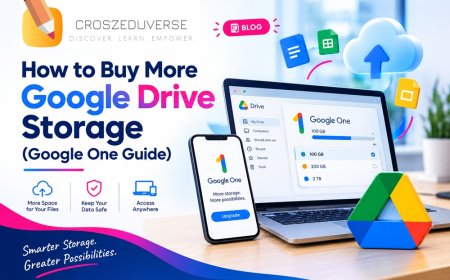





How to Buy More Google Drive Storage (Google One Guide)
Google Drive full? Learn how to buy more storage with Google One: where to click, which plan to pick, monthly vs annual pricing, and how to upgrade in minutes.

1. How to Buy More Google Drive Storage (Google One Guide)
Every Google account comes with 15 GB of free storage, shared between Google Drive, Gmail and Google Photos. When that fills up, you can’t upload files or back up photos. The quickest fix is to buy more storage through Google One.
This guide shows you exactly how to upgrade your Google Drive storage, what each plan offers, and how to choose the right one.
Quick Answer: How Do You Buy More Google Drive Storage?
- Open Google Drive and click Get more storage.
- Choose a plan and a billing option (monthly or annual).
- Confirm payment. Your new storage is added to Drive, Gmail and Photos right away.
2. Step 1: Open Google Drive
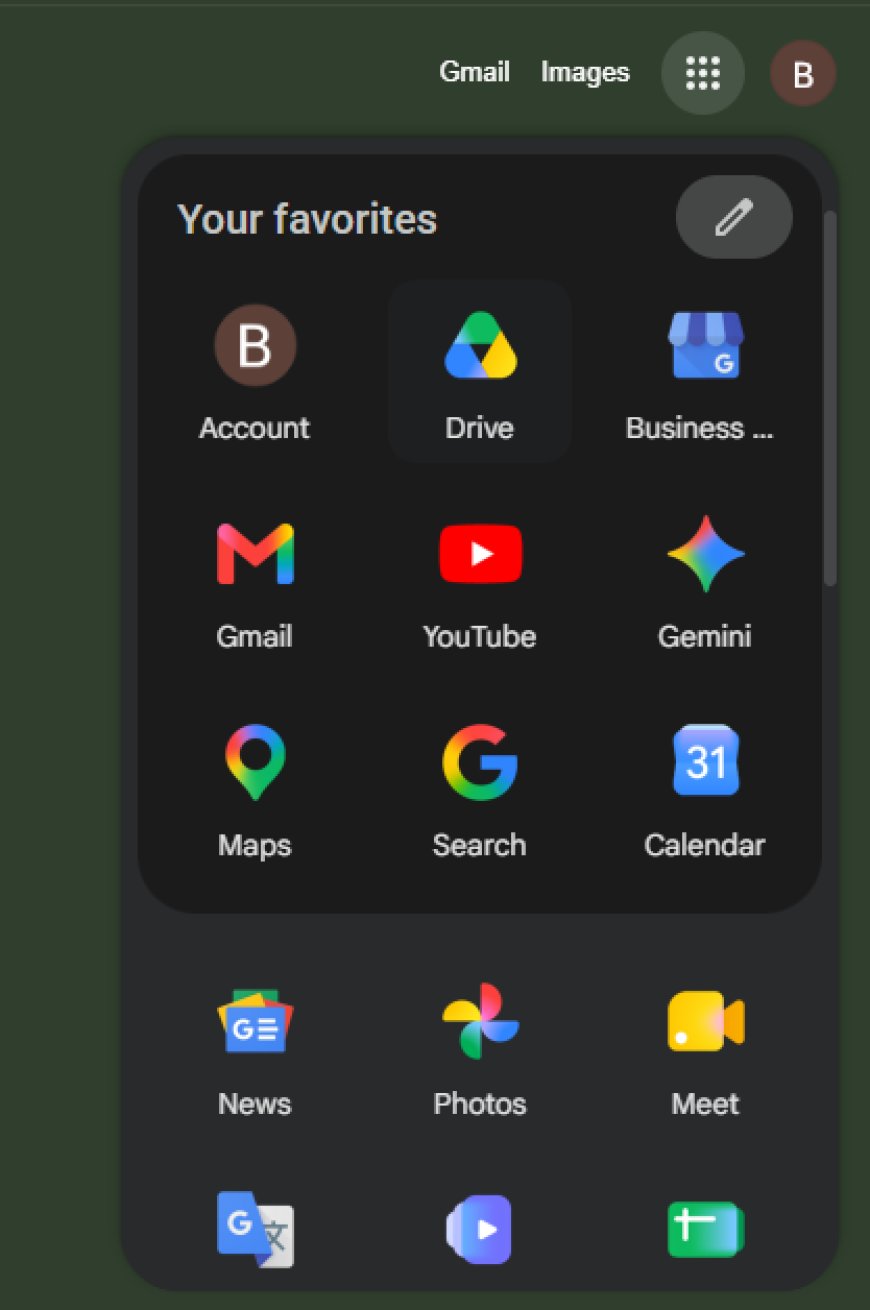
Click the nine-dot apps menu at the top right of Gmail or Google Search, then select Drive.
3. Step 2: Check Your Current Storage
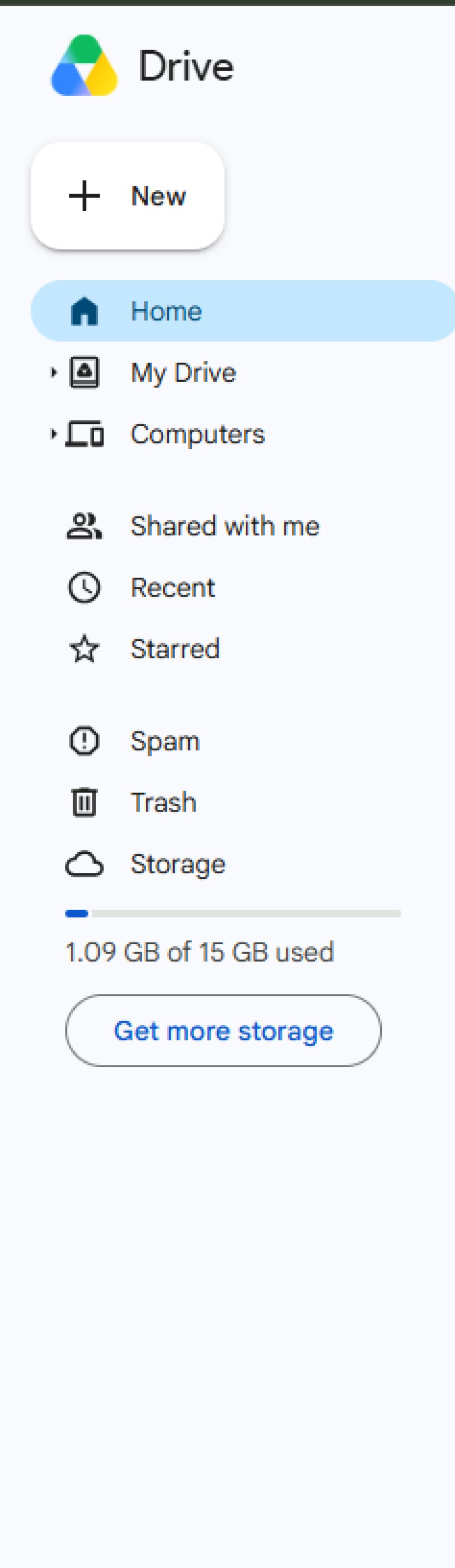
Look at the bottom of the left sidebar. It shows how much of your 15 GB you’ve used. When it’s nearly full, click Get more storage.
4. Step 3: See Your Upgrade Offer
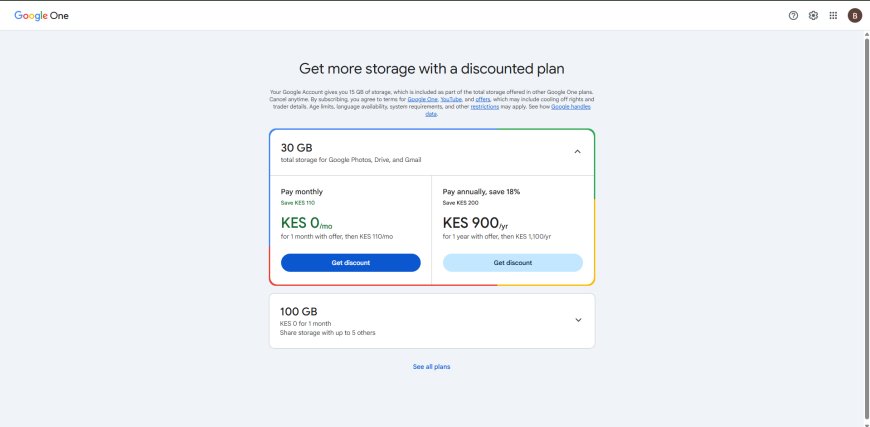
You’ll be taken to Google One. Many accounts see an introductory offer first, such as a free first month on the 30 GB plan. Choose between Pay monthly and Pay annually, then click Get discount.
5. Step 4: Compare Google One Plans
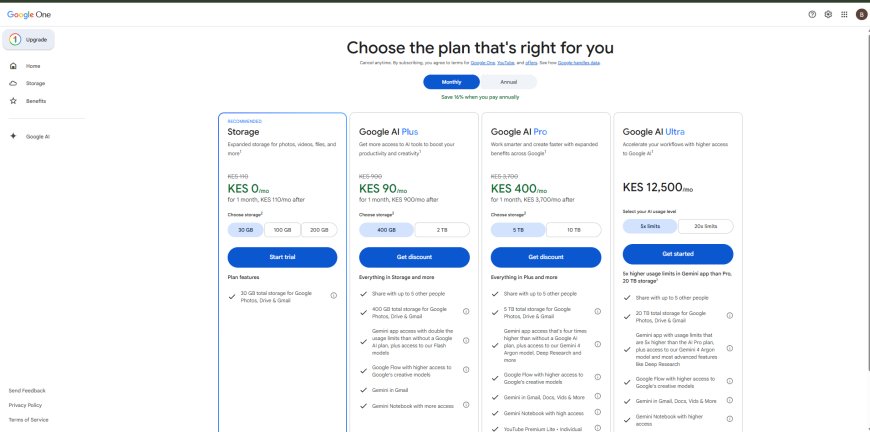
On the full plans page, you’ll see four tiers. Pick your storage size inside each plan using the buttons under “Choose storage”.
| Plan | Storage options | Best for |
|---|---|---|
| Storage | 30 GB, 100 GB, 200 GB | Students and everyday users who just need space |
| Google AI Plus | 400 GB, 2 TB | Heavy photo and video users who want AI tools too |
| Google AI Pro | 5 TB, 10 TB | Professionals and creators |
| Google AI Ultra | 20 TB | Power users needing the highest AI limits |
Which should you choose? If you only need more room for files and photos, the Storage plan is usually enough. The AI plans add Gemini features on top of storage, so they cost more. All paid plans let you share with up to 5 other people.
6. Step 5: Choose Monthly or Annual Billing
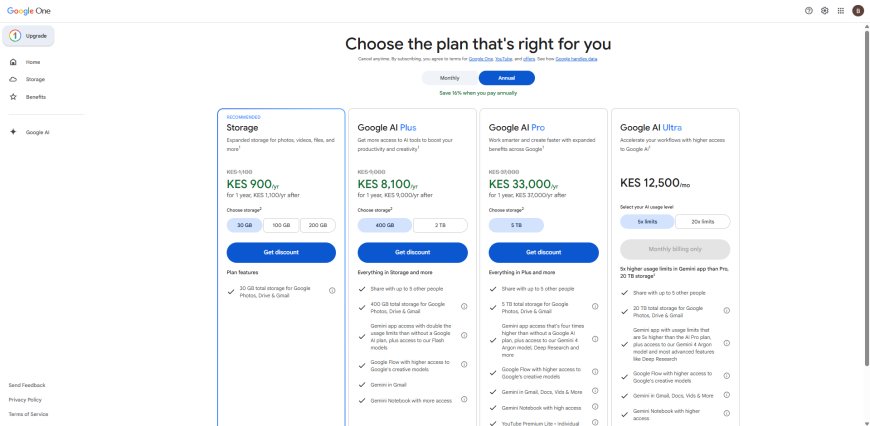
Use the toggle at the top. The annual option is cheaper over a year, but you pay upfront.
- Monthly: Flexible, and good for trying a plan.
- Annual: Better value if you know you’ll keep the plan.
7. Step 6: Complete Your Purchase
Click Get discount (or Start trial or Get started, depending on the plan), then add your payment method and confirm. Your storage increases immediately, and you can cancel anytime from your Google One settings.
Things to Know Before You Buy
- Prices change. Introductory offers (like KES 0 for the first month) switch to the regular price afterward, so check what you’ll pay after the offer ends.
- Prices differ by country. Always check the amounts shown in your own account.
- Storage is shared. Your total covers Drive, Gmail and Google Photos together.
- You can change plans later. You can upgrade, downgrade or cancel as your needs change.
Frequently Asked Questions
How do I buy more Google Drive storage?
Open Drive, click Get more storage, pick a Google One plan and confirm payment.
How much does extra Google Drive storage cost?
It depends on your country, plan and any offer. In Kenya, the entry 30 GB plan has shown an introductory first month at KES 0, then a regular monthly price. Check your own account for current amounts.
Is Google One the same as Google Drive?
No. Google Drive is where you store files. Google One is the subscription that gives you more storage for Drive, Gmail and Photos.
Can I share my storage with family?
Yes. Paid plans can be shared with up to five other people.
Can I cancel anytime?
Yes. You can cancel from your Google One settings.
Final Thoughts
Buying more Google Drive storage takes just a few minutes. Start with the plan that matches your needs, choose monthly or annual billing, and you’re set. In our next guide, we’ll show you how to free up space without paying.
What's Your Reaction?