























How to Verify Your TikTok Account (Step-by-Step Guide )
Want the blue check on TikTok? This step-by-step guide walks you through TikTok’s verification options for personal creators and businesses, the documents you’ll need, how to submit an application inside the app or via Business Center, what TikTok looks for, timelines, and smart tips to improve your chances — with official TikTok links.

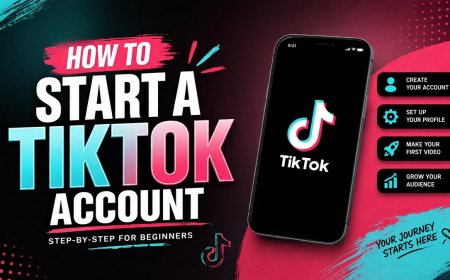
Getting verified on TikTok the little blue check next to your username signals authenticity and can open doors to partnerships and higher visibility. TikTok doesn’t publish a single rigid follower-count rule; instead it focuses on authenticity, notability, and account security. Below is a practical, up-to-step guide to apply (or prepare) for verification, with official links and real tips.
Who can apply (two main paths)
-
Personal / Creator verification - for individual creators, public figures, or artists who want a verified badge. You usually apply from inside the TikTok mobile app.
-
Business verification - for brands and company accounts, verification is done via TikTok Business Center (or Business Center verification and shared verification). This route requires business documentation. TikTok For Business
What TikTok looks for (summary)
TikTok evaluates accounts for authenticity (real person or registered business), completeness (profile photo, bio, confirmed email/phone), activity (regular, policy-compliant posting), and notability (press coverage, consistent public presence). There’s no fixed follower threshold publicly stated — media coverage and clear identity proof help.
Before you start — prepare these items
-
A clear profile photo, username, and filled-out bio.
-
Confirmed email and phone number on your TikTok account.
-
A government ID (passport, driver’s license, national ID) for personal identity verification — photo of the ID ready to upload if requested.
-
For business verification: company registration documents, tax ID, official website, and access to TikTok Business Center.
-
Public proof of notability (press articles, links to verified accounts on other platforms) if available.
Step-by-step: How to request verification in the TikTok app (personal/creator)
-
Open the TikTok app and go to Profile.
-
Tap the Menu (≡) or three dots → Settings & Privacy.
-
Select Account → Verification (or Request Verification).
-
Choose the verification type (Personal / Institutional where shown).
-
Follow the prompts: upload ID or supporting documents, confirm contact details, and submit.
Note: TikTok’s in-app flows can vary by region and app version; if you don’t see “Verification” in Account settings, check Creator Center or Business Center options.
Step-by-step: How to verify a Business account (TikTok Business Center)
-
Sign in to TikTok Business Center (business account).
-
In the left menu select Verification (or Account settings → Verification).
-
Choose Business verification and upload the required company documents (registration, tax ID, website).
-
Optionally use shared verification to verify multiple business accounts from one Business Center that’s already verified.
Official Business verification details live on TikTok’s Ads/Business help pages — use that portal if you manage multiple brand accounts.
Typical timeline & follow-ups
-
Processing time varies. Some creators report responses in a few days; business verifications can take longer depending on document checks. There’s no guaranteed timeframe, and TikTok may ask for more documents or decline — if declined, improve your public presence and try again later.
Tips that actually help
-
Complete every part of your profile (photo, bio, link, email, phone). Incomplete profiles are rarely verified.
-
Be active and consistent: post regularly and grow authentic engagement. Viral reach and steady audience growth are positive signals.
-
Cross-verify: get verified on other major platforms (IG, X, Facebook) if possible — TikTok checks cross-platform identity.
-
Earn media coverage: press mentions, interviews, or notable collaborations strengthen “notability.”
-
Follow TikTok rules: no recent strikes or policy violations; keep your account in good standing.
-
Work with a TikTok rep if you run ads or have an ad rep — they can sometimes advise or escalate business verification.
What to do if verification is rejected
-
Recheck your documents for clarity and matching names.
-
Improve public signals: press coverage, cross-platform verification, and consistent content.
-
Wait a few weeks and reapply once you’ve strengthened your profile and public footprint.
Official links you should bookmark
-
TikTok Help — Verification / Blue badge (Creator resources) -TikTok’s verification help (artist/creator resources). TikTok for Artists
-
TikTok Ads / Business — About Business Verification - official business verification process. TikTok For Business
-
TikTok Creator / App verification steps (how to apply in app) - example in-app flow and tips.
Small checklist to publish with your profile (copy/paste)
-
Profile picture uploaded
-
Bio written and links added
-
Email and phone verified
-
Government ID & business docs ready (if needed)
-
Recent media links or press mentions collected
-
No active strikes or policy violations
Final note
Verification isn’t a guaranteed overnight fix it’s an identity and notability confirmation. For most creators, consistent content, clean identity proof, and some public evidence that you’re notable are the clearest path forward. If you manage a brand, use TikTok Business Center and official business verification for the best chance.
What's Your Reaction?


-
 laodemuhadriansyahMeminta centang biru
 -
@bermain_robloxAku mau centang biru di tiktok apa kamu bisa bantu aku verivikasi