

























What Is the Difference Between SSD and HDD? (Full Comparison Explained)
Learn the key differences between SSD (Solid-State Drive) and HDD (Hard Disk Drive). This CroszEduverse guide explains how each works, their speed, durability, cost, and performance with a simple comparison table to help you choose the right storage for your computer.

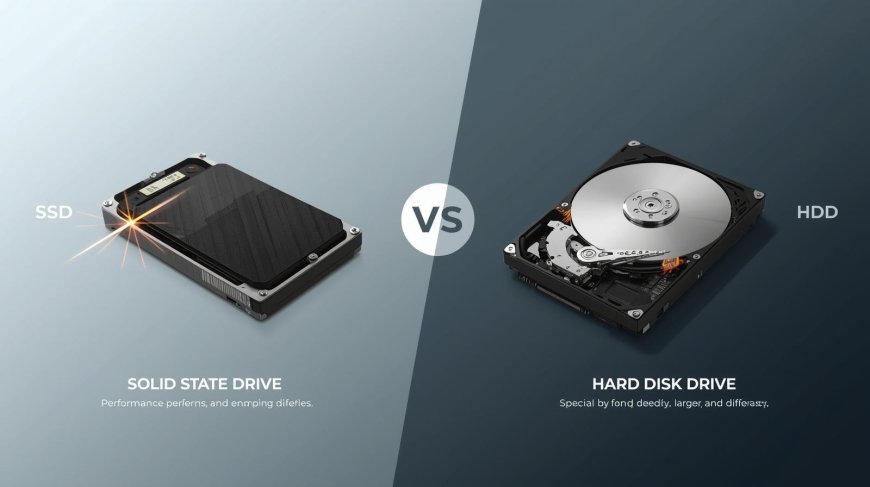
If you’ve ever bought or upgraded a computer, you’ve probably come across two main storage types SSD and HDD. They both store your files, software, and operating system, but they work differently. Knowing their differences can help you make the right choice when buying or upgrading your device.
What They Are
HDD (Hard Disk Drive):
The traditional storage drive that uses spinning metal disks to read and write data. It works mechanically meaning it has moving parts which makes it slower but more affordable for large storage.
SSD (Solid-State Drive):
A newer type of drive that stores data in flash memory chips, just like your smartphone. It has no moving parts, which makes it faster, quieter, and more durable.
SSD vs HDD Comparison Table
| Feature | SSD (Solid-State Drive) | HDD (Hard Disk Drive) |
|---|---|---|
| Speed | Very fast – loads system and apps in seconds | Slower – takes more time to start and load |
| Durability | No moving parts, more resistant to damage | Has moving parts, more likely to fail from drops |
| Noise | Completely silent | Produces clicking or spinning sounds |
| Power Usage | Uses less power, extends battery life | Consumes more power |
| Storage Capacity | Typically smaller (128GB–2TB) | Much larger (up to 20TB+) |
| Cost per GB | More expensive | Cheaper and better for bulk storage |
| Lifespan | Long lifespan with normal use | Mechanical wear over time |
| Best For | Speed, performance, multitasking | Large file storage and backups |
Performance and Speed
Speed is where SSDs truly stand out.
Your computer boots faster, programs open instantly, and file transfers finish in seconds.
Example:
-
SSD boot time: 10–15 seconds
-
HDD boot time: 40–60 seconds
For gamers, designers, and everyday users, SSDs make a huge difference in overall performance.
Durability and Power
Since SSDs don’t rely on moving parts, they’re much better at handling shocks and drops. They also use less power, which means longer battery life for laptops.
HDDs, on the other hand, can be damaged easily if moved while running and consume more electricity.
Cost and Storage
HDDs are more budget-friendly and available in much larger capacities, making them great for storing massive amounts of data.
SSDs are pricier, but prices keep dropping. Today, a 500GB SSD offers an affordable balance between cost and performance.
Which One Should You Choose?
-
Go for SSD: If you want speed, performance, and quiet operation.
-
Go for HDD: If you need more space for less money.
-
Use Both: Many computers use an SSD for the system and an HDD for extra storage best of both worlds.
Final Thoughts
Both SSDs and HDDs have unique strengths. SSDs are faster and more durable, while HDDs offer more storage for your money. The best option depends on your needs and budget.
At CroszEduverse, we believe learning about tech should be simple and practical. Whether you’re upgrading your PC or building your first setup, understanding SSDs and HDDs will help you make a smarter choice.
What's Your Reaction?